KidCash for iPhone Duo. Every kid on one side, one kid on the other.
Unfold Apple's foldable iPhone and KidCash opens like a book: your kids list on the left page, the kid you picked on the right. Fold it shut and the outer display gives you the KidCash you already know.
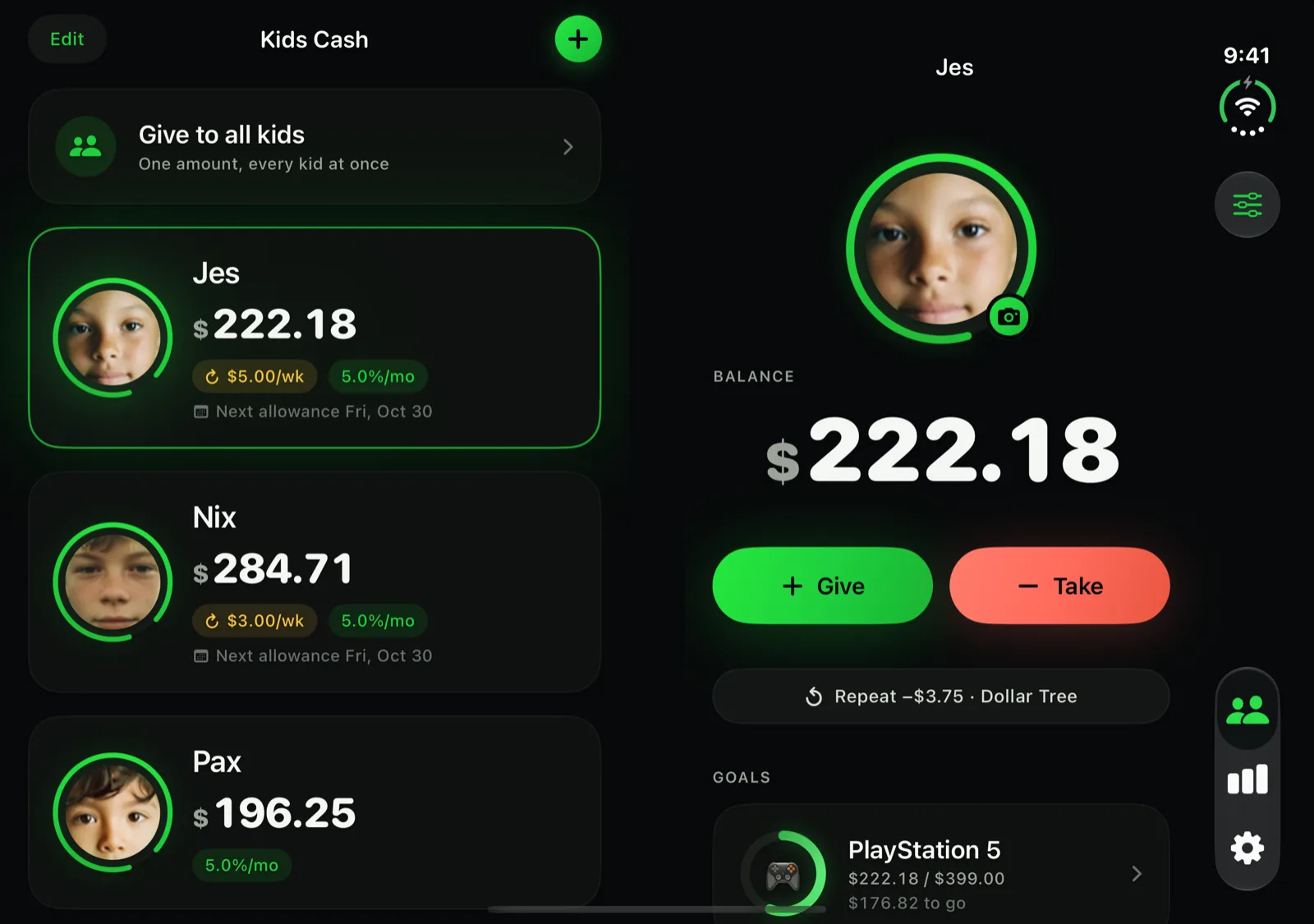
The fold-aware layout
Two phone-width pages, split exactly at the fold
On the Duo's inner display, a stretched phone screen would leave one very wide column with the fold running through the middle of it. KidCash 1.7 reads where the fold is and gives each side its own job. Every tab gets two pages.
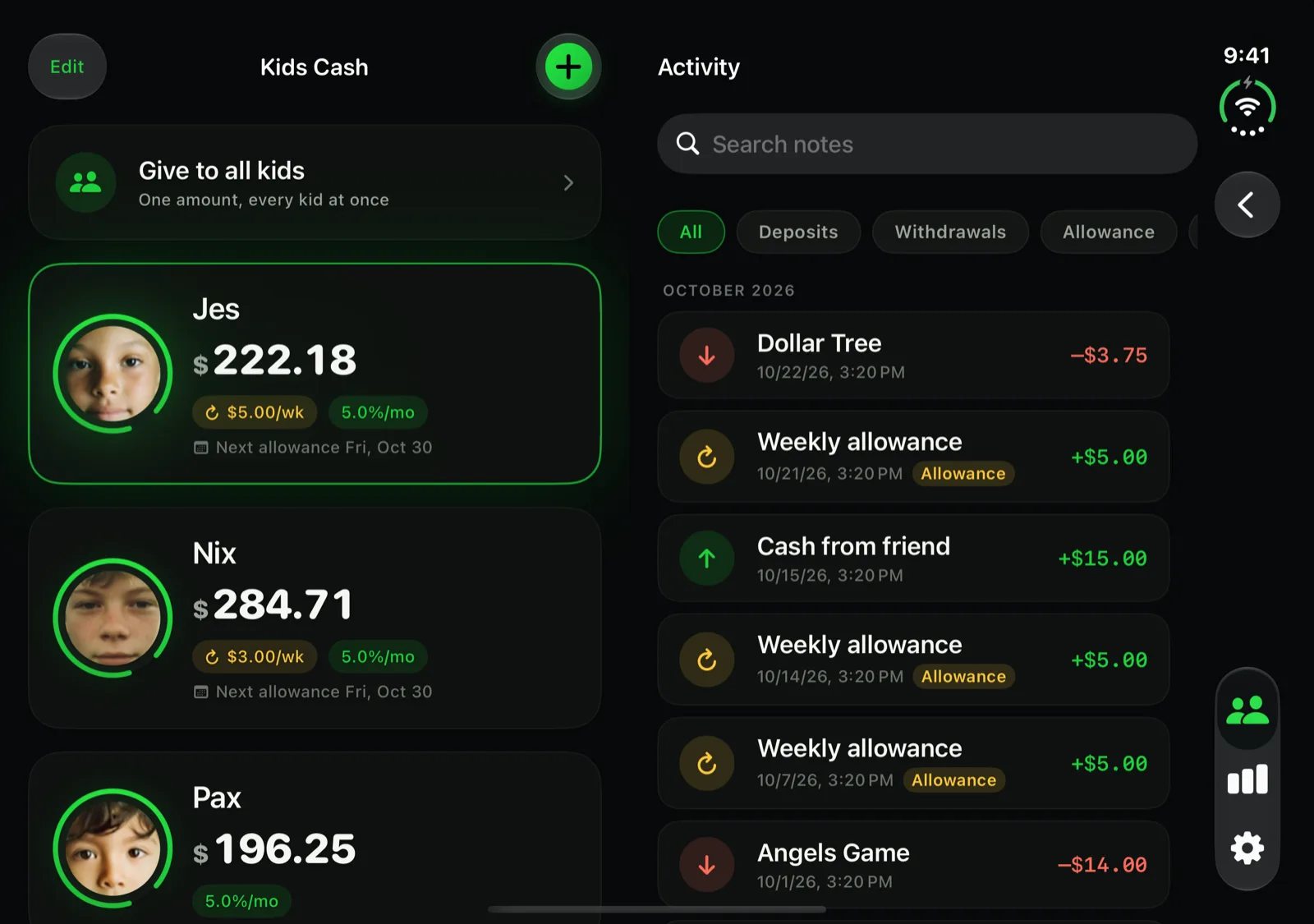
Kids
Left page
Every kid, with the Edit and + buttons in a header row. The selected card is outlined.
Right page
The selected kid's full screen with its own navigation, so See All opens their history right there.
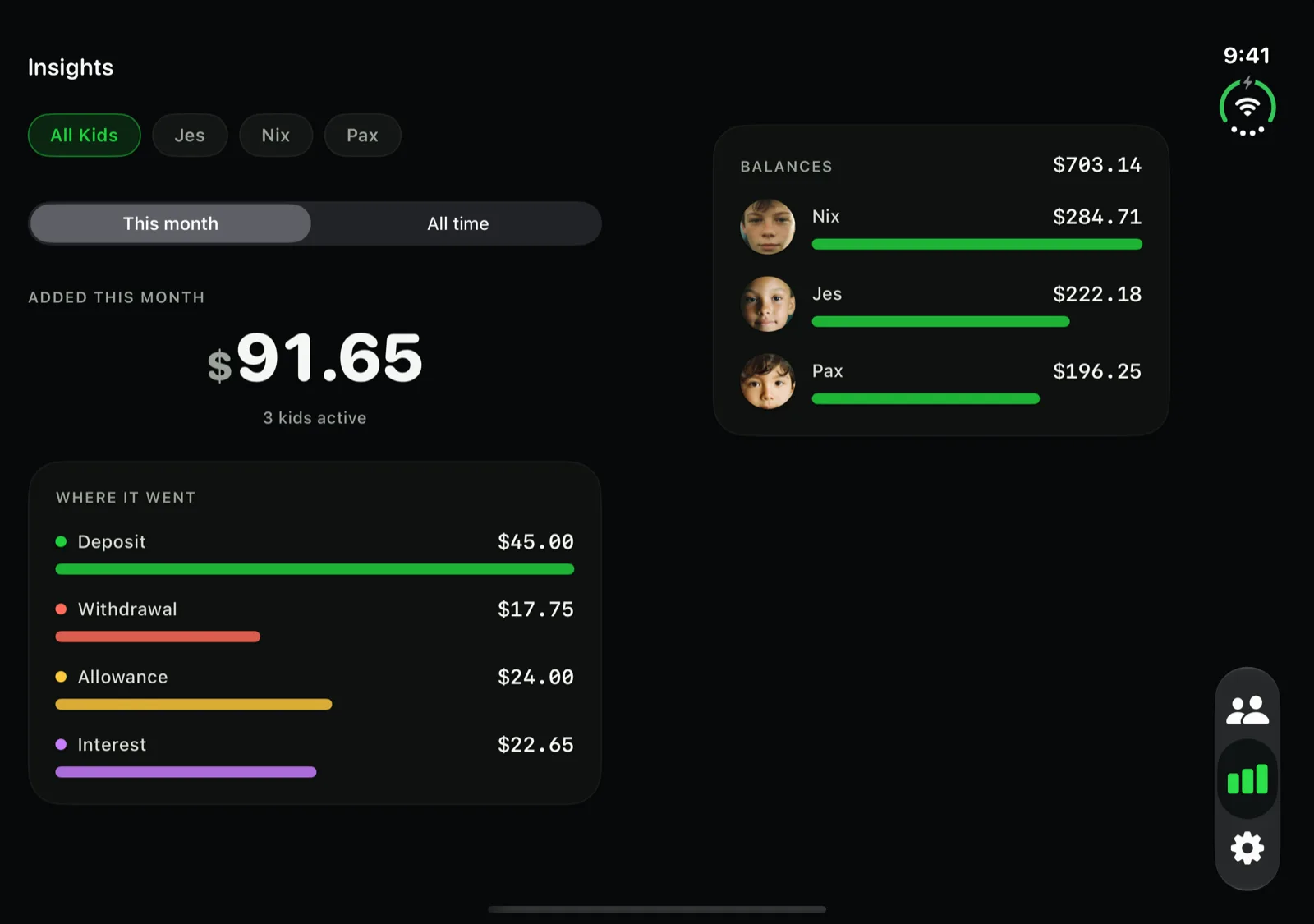
Insights
Left page
Kid picker, This month or All time, the total, and Where it went.
Right page
The kid's balance chart, or for All Kids, a new Balances card with every kid side by side.
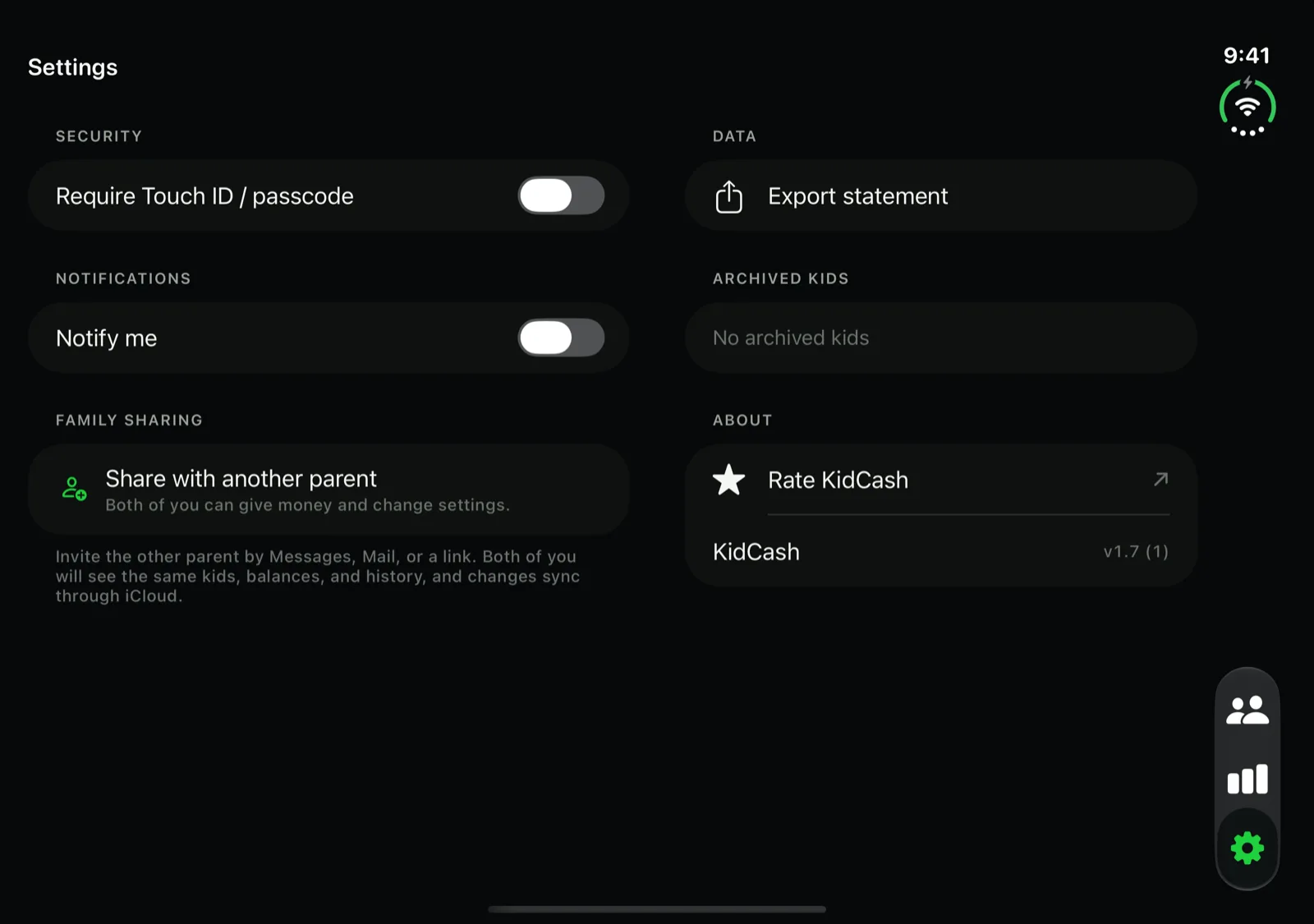
Settings
Left page
Security, Notifications and Family sharing.
Right page
Data and export, Archived kids, and About.
Give, Take and editors
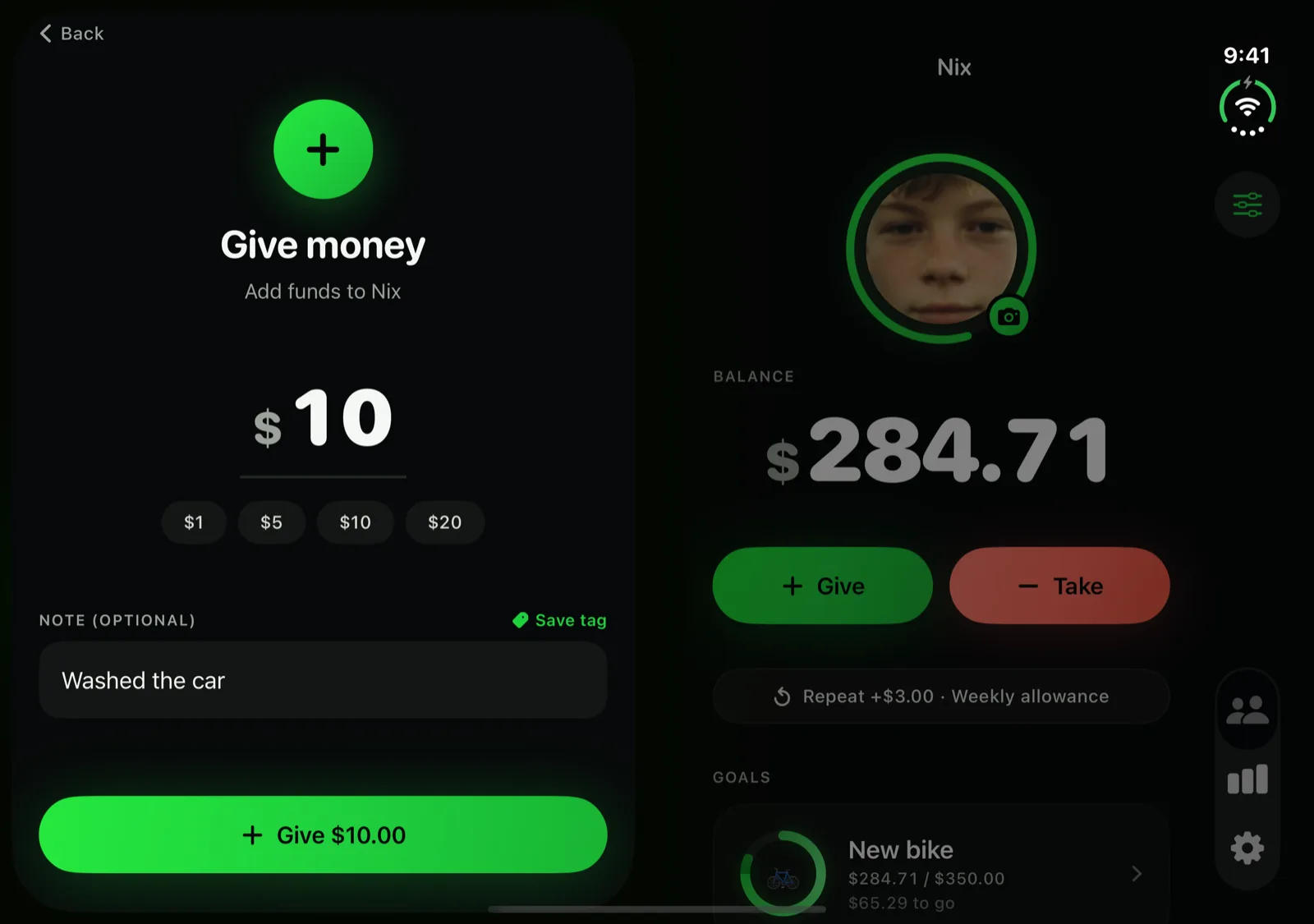
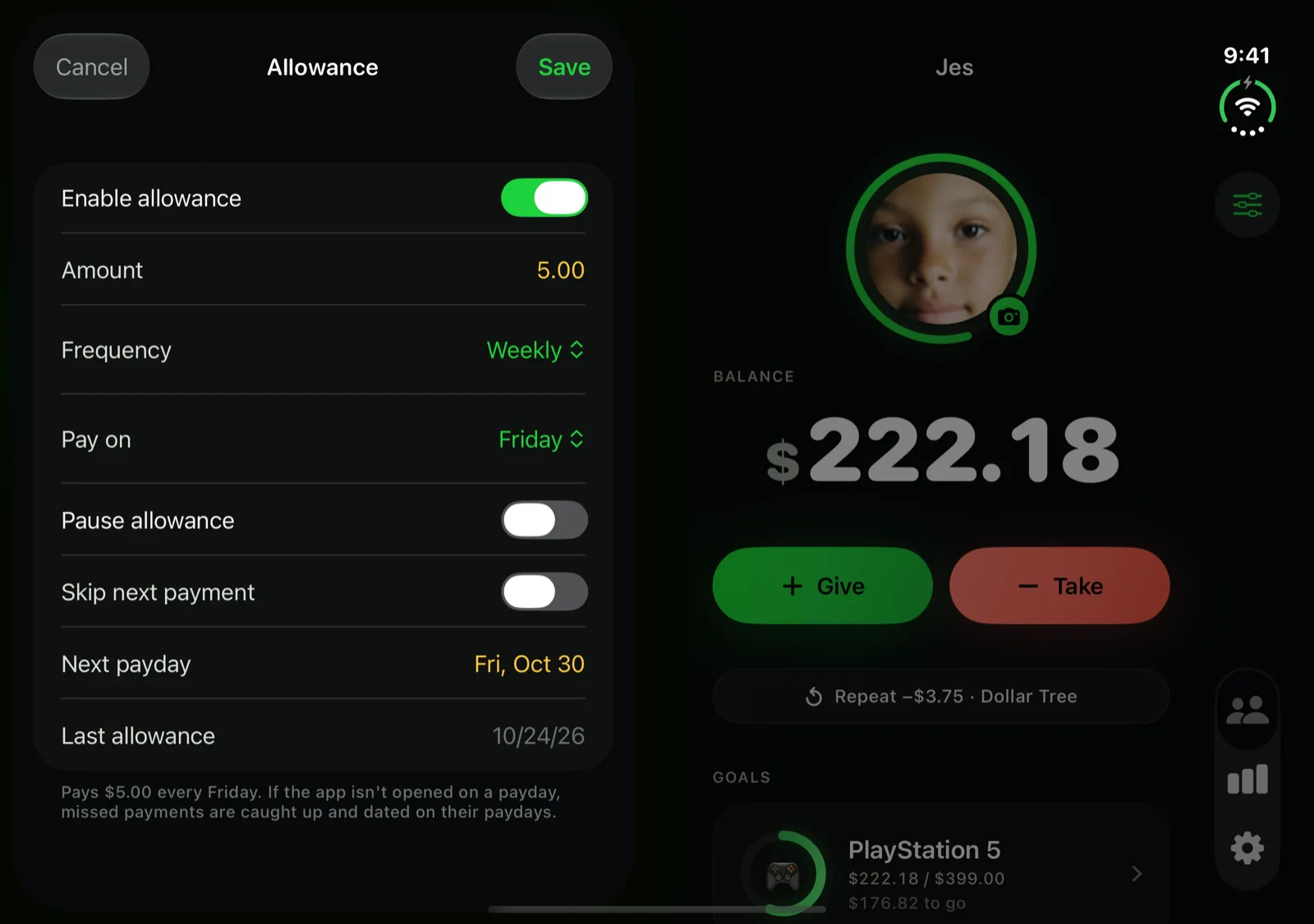
The balance stays in view while you change it
Sheets about one kid open on the left page, one page wide, instead of covering the whole screen. Sheets you start from the list, like Add kid and Give to all kids, open on the right.
Outer display
Closed, it is the KidCash you already know
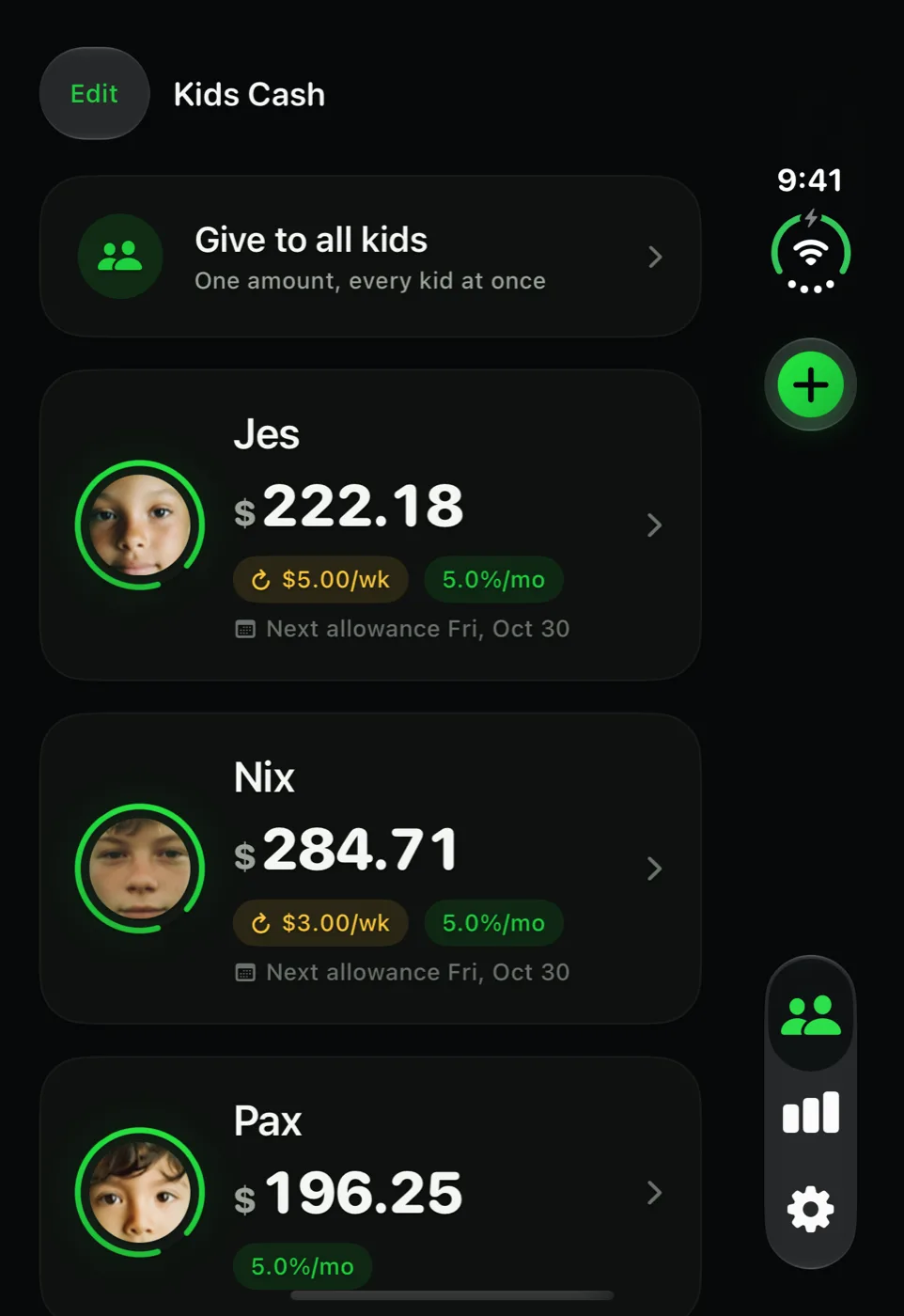
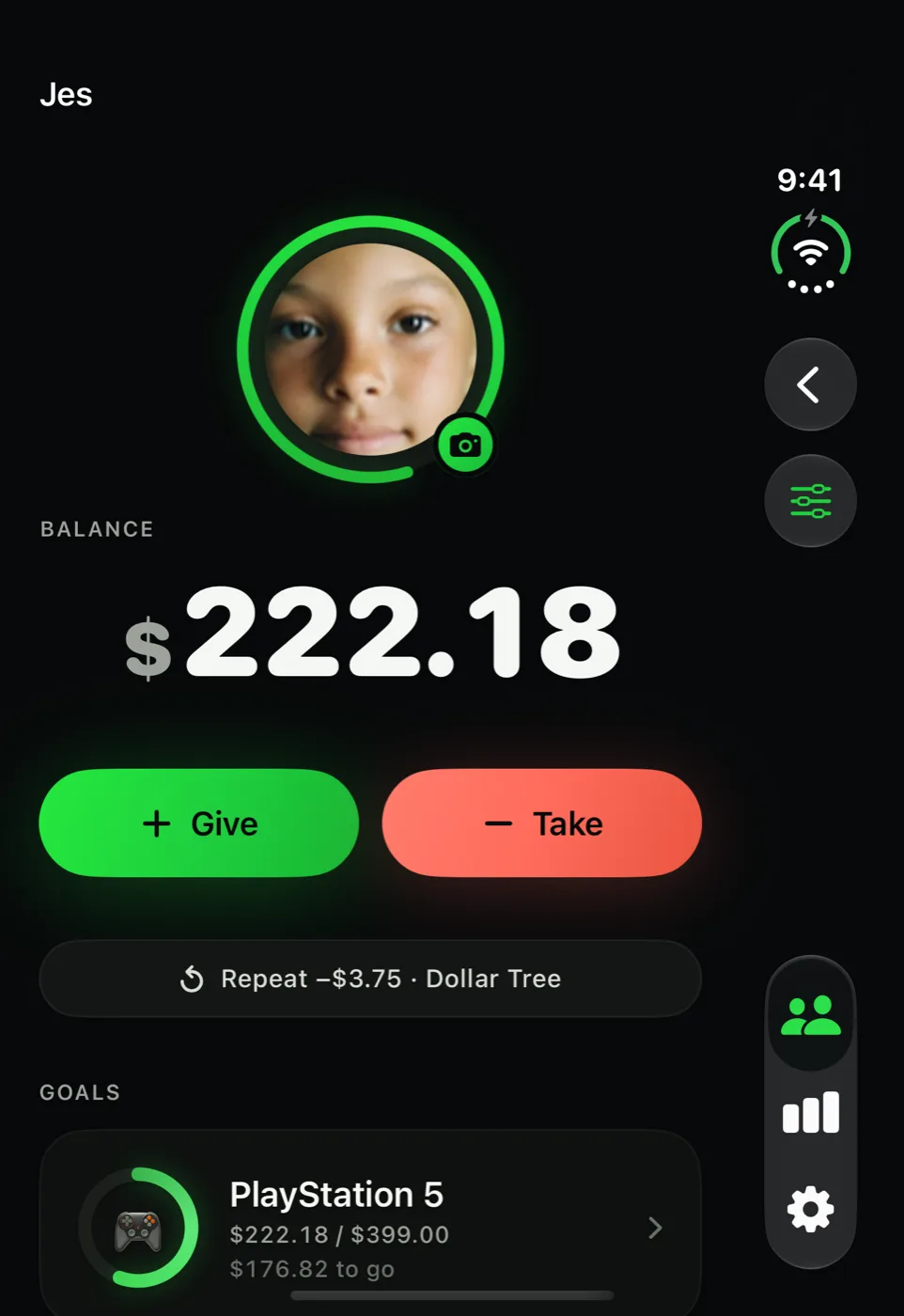
Fold the Duo shut and KidCash uses the outer display like any iPhone. The tab bar stands upright along the edge, and Back and a kid's settings move into that bar too.
- Kid cards use a slightly smaller avatar here, so the allowance chip and next payday line are not cut off
- App Lock asks for Touch ID, and the setting says Touch ID rather than Face ID
- The kid you had open on the inner display is still open when you close it
Every way you hold it
Open, half open, closed or turned
The layout follows the screen KidCash is on, not a guess about the device, so it picks the right one each time you fold or turn the Duo.
Open flat
Two pages, split at the fold. Kids, Insights and Settings all use both sides.
Half open, like a book
Same two pages, with nothing placed on the fold. When you type an amount, the keyboard moves to the right-hand side.
Closed
The outer display runs the regular phone layout, with the tab bar along the edge of the screen.
Open, turned to portrait
KidCash switches back to its single-column phone layout, with the tab bar at the bottom.
Everything else is the KidCash families already use: automatic allowance, interest and savings goals, full history, and no bank, debit card or subscription.
FAQ
Questions, answered
Yes. KidCash 1.7 is built for iPhone Duo, Apple's foldable iPhone, and is on its way to the App Store. It uses the whole inner display when the Duo is open and the outer display when it is closed. It is a free update for everyone who already owns KidCash.
KidCash opens like a book, with one phone-width page on each side of the fold. On the Kids tab your kids list is on the left and the kid you picked is on the right. Insights puts the breakdown on the left and a chart or a Balances card on the right. Settings splits into two columns. Nothing sits on the fold itself.
Yes. On the outer display you get the same KidCash layout as on any iPhone: the kids list, tap a kid to open them, Back to return. The tab bar runs down the edge of the screen instead of along the bottom, and the kid cards use a slightly smaller avatar so balances and allowance chips are not cut off.
Yes. The kid you were looking at stays selected next to the list when you open the Duo, and is pushed back on screen when you close it. One thing to know: if a Give or Take sheet is open when you fold or unfold, KidCash closes it before switching layouts, so finish the entry first.
Half open like a book, the layout stays the same and the keyboard moves to the right-hand side. If you turn the open Duo to portrait, KidCash switches back to its regular phone layout.
Yes. App Lock uses whatever your iPhone has. On iPhone Duo the setting reads Require Touch ID / passcode, and on Face ID iPhones it reads Face ID.
No. KidCash is a one-time $4.99 purchase, and the iPhone Duo layout comes in a regular update. Your kids, balances and history sync to the Duo through your own iCloud.
Get KidCash now. The Duo layout arrives in 1.7.
$4.99 once on the App Store. KidCash 1.7, with the iPhone Duo layout, is a free update when it lands.
More